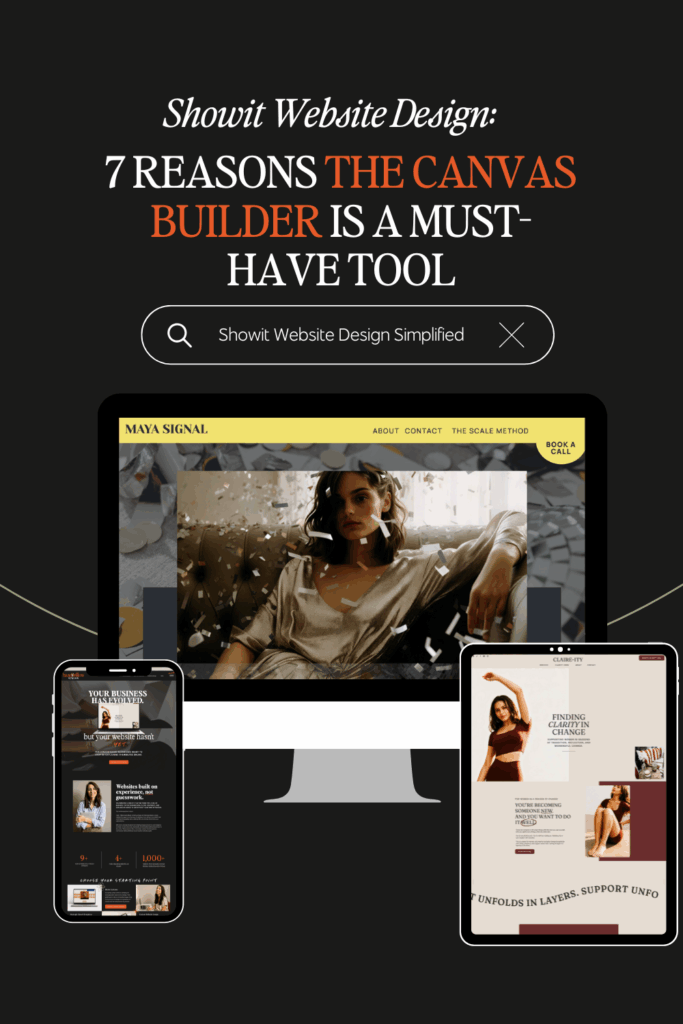

When Excitement Turns to Overwhelm
You’re excited to work on a Showit website. You log in. You open the editor. And then… you freeze.
There are endless possibilities, a glaring blank canvas, and suddenly every design decision feels more stressful than it should.
Where do I start?
How do I make this look good on desktop AND mobile?
How do I make it all feel cohesive instead of thrown together?
It feels like hours, days, and maybe weeks of work ahead….
That’s exactly where the Canvas Builder comes in. It’s a support system that helps you move forward a whole lot easier.
I’m sharing this as an honest review from both a DIY and designer perspective. I’ll walk you through why the Canvas Builder works so well, how to use it strategically, and when it makes sense to use it (and when it might not).
As a designer with a background in marketing and copywriting, I care just as much about how a site works as how it looks.
This is about building a Showit website with intention, reducing some of the overwhelm, and giving you structure (and some time back too).
Quick note: Some links in this post are affiliate links. If you purchase through them, I may earn a commission at no extra cost to you. I’m sharing the Canvas Builder because I actually use it and find it genuinely helpful, and the thoughts below are my honest take.
What Is the Canvas Builder (and Who It’s For)?
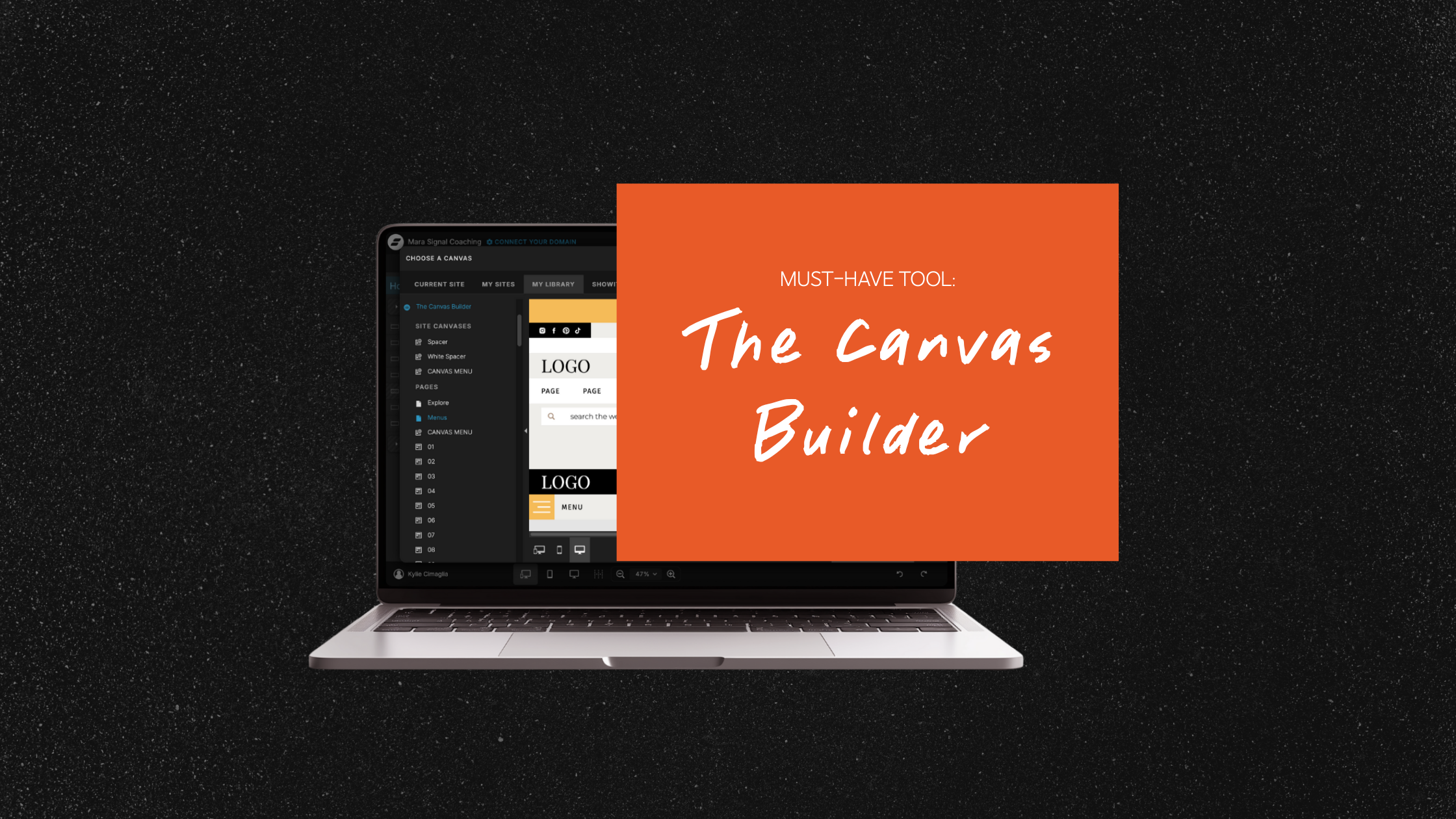
At its core, the Canvas Builder is a curated library of professionally designed Showit canvases you can mix, match, and customize inside your site. Rather than starting from a blank page, you’re working from canvases that already account for spacing, hierarchy, and visual balance.
This is your starting point: a flexible design foundation.
Who the Canvas Builder is best for
DIY business owners building in Showit
If you’ve considered a template but want more ownership and flexibility, the Canvas Builder is a great middle ground. You’re not locked into a single layout or structure. You can add pages as your business grows, swap sections when your offers change, and build something that evolves with you…without starting over every time.
It’s especially helpful if you want your site to feel professional, but still want to make the final design decisions yourself.
Designers who want a strong starting points
For designers, the Canvas Builder streamlines the early stages of a project. Instead of recreating foundational layouts over and over, you can start with strong structure and focus your energy where it matters most: customization, brand alignment, and strategy.
It doesn’t replace your design skill. It’s a tool that supports your vision.
What the Canvas Builder is not
- It’s not a one-click website
- It’s not a replacement for strategy, messaging, or copy
- It’s not a finished solution
The Canvas Builder works best when you approach it with intention. Use it as a starting point.
If you want to explore the Canvas Builder, you can use the button below and apply code HAZELWILLOWSTUDIOS at checkout for $100 off.
7 Reasons the Canvas Builder is a Must-Have Tool for Showit Website Design
1. Efficiency Without Starting From Scratch
One of the biggest advantages of the Canvas Builder is how quickly it helps you build momentum.
Starting from a blank canvas sounds freeing… until you’re faced with what feels like thousands of decisions before you’ve even placed your first headline. The Canvas Builder eliminates that paralysis by giving you already-designed canvases to work from, so you can focus on refining rather than inventing everything from scratch.
Whether you’re:
- building your homepage
- designing a services page
- putting together a sales page for a new offer
You’re working from a solid foundation that already accounts for flow and structure. From there, you can build your page section by section, swap copy, and tailor everything to your needs.
For designers, this means fewer repetitive setup tasks and for business owners, it means finally getting something live without overthinking every move.
If you want to explore the Canvas Builder, you can use the button below and apply code HAZELWILLOWSTUDIOS at checkout for $100 off.
2. Built-In Aesthetic Cohesion
The Canvas Builder canvases are visually balanced by default: spacing, typography hierarchy, and layout rhythm are already considered. That alone removes a huge barrier for non-designers who worry their site will end up feeling clunky or mismatched.
And when you import your branding into Showit, it gets even easier.
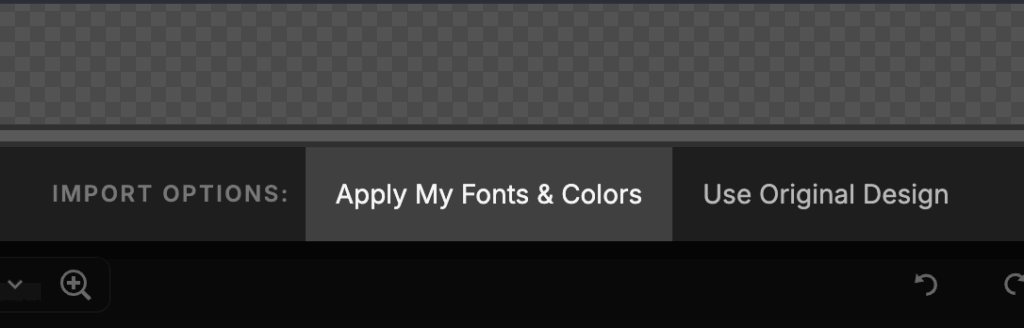
By selecting “use my branding and colors,” your fonts and color palette are automatically applied across canvases. From there, you’re simply tweaking things like adjusting spacing, refining details (image corner shapes, final placement of objects, adding in a subhead if needed, or even changing something from a static image to a gallery), and personalizing sections instead of rebuilding visual consistency from scratch.
This makes it much easier to create a site that feels polished…even if design isn’t your background.
If you want to explore the Canvas Builder, you can use the button below and apply code HAZELWILLOWSTUDIOS at checkout for $100 off.
3. Consistency Through Design Systems
One of the biggest differences between a website that looks nice and one that feels professional is consistency.
When you use the Canvas Builder, you’re working from a system: repeating design patterns, spacing rules, and visual rhythm create a sense of cohesion that helps your site feel intentional from page to page.
This matters more than most people realize.
Consistency:
- makes your site easier to scan
- helps visitors understand what’s important
- builds trust without them consciously noticing
When every page follows a similar visual language, your content becomes easier to navigate and your calls to action are clearer. That’s a conversion win.
For business owners, this means your site feels “put together” even as you add new pages.
For designers, it means you’re building within a system instead of reinventing decisions that have already been solved.
This is where the Canvas Builder really shines: it gives you guardrails without boxing you in.
If you want to explore the Canvas Builder, you can use the button below and apply code HAZELWILLOWSTUDIOS at checkout for $100 off.
4. Flexibility for Customization

The Canvas Builder is like a well-curated closet. You’re pulling outfit pieces together (canvases) and styling them to fit your style (brand, your copy, and your goals).
Every canvas is meant to be adapted.
You can:
- swap copy freely
- adjust spacing and hierarchy
- rework sections to support your content
- remove what you don’t need and layer in what you do
The Canvas Builder gives you the structure, but you decide how it comes together. That flexibility is what allows DIY business owners to build with confidence and designers to customize deeply for their clients.
If you want to explore the Canvas Builder, you can use the button below and apply code HAZELWILLOWSTUDIOS at checkout for $100 off.
5. Variety for Different Pages and Needs
One of the biggest advantages of the Canvas Builder is the range of canvases available.
There are canvases designed for:
- homepages that build trust and guide visitors
- sales pages that support conversion
- opt-ins and lead magnets
- blogs and content-heavy pages
That variety makes it much easier to build pages that serve different purposes without forcing everything into the same layout.
For business owners, this means you can design pages based on what you actually need right now: whether that’s a trust-building homepage or a focused sales page. And then you can adjust as your business evolves.
For designers, it means having flexible starting points for different projects, clients, and goals. You’re not boxed into one style or one approach. You’re choosing canvases based on strategy, then customizing from there.
This is what makes the Canvas Builder feel growth-friendly. It supports where your business is today and where it’s going.
If you want to explore the Canvas Builder, you can use the button below and apply code HAZELWILLOWSTUDIOS at checkout for $100 off.
6. Long-Term Value You Can Keep Coming Back To

The Canvas Builder is far more than a one-and-done purchase. It’s something you can return to again and again as your website (and your business) changes.
This is especially helpful when:
- you’re refreshing your site instead of redesigning from scratch
- you’re adding a new offer or sales page
- your messaging evolves and your site needs to catch up
- you want to update sections seasonally without rebuilding everything
Instead of starting over every time, you can pull new canvases into an existing site and style them to match what’s already there.
For designers, that long-term value shows up in efficiency and for business owners, it shows up in the confidence in knowing you have tools to update your site without feeling overwhelmed.
If you want to explore the Canvas Builder, you can use the button below and apply code HAZELWILLOWSTUDIOS at checkout for $100 off.
7. Ownership With Designer-Level Guidance
This is the reason that really sets the Canvas Builder apart.
It gives you ownership without leaving you to figure everything out on your own.
You’re making the decisions. You’re choosing the canvases. You’re shaping your site. But you’re doing it with the quiet guidance of a trained designer baked into the structure.
For DIY business owners, that means:
- fewer “is this wrong?” moments
- more confidence hitting publish
- a site that feels intentional
For designers, it means:
- faster execution without sacrificing quality
- more room for strategy and customization
- less time spent on repetitive groundwork
You’re building with support.
If you want to explore the Canvas Builder, you can use the button below and apply code HAZELWILLOWSTUDIOS at checkout for $100 off.
How to Use the Canvas Builder Strategically
The Canvas Builder works best when you approach it with intention so before you start dragging canvases onto a page, take a step back and get clear on a few things first.
Start with:
- your main goal for the page (What do you want someone to do?)
- your primary call to action
- the role this page plays in your site as a whole
From there, choose canvases that support:
- a clear page hierarchy
- a logical flow of information
- your visitor’s next step
This is also where starting with copy makes a big difference. When you know what you want to say, it becomes much easier to choose canvases that support your message instead of fighting against it.
Once the structure is in place, customize intentionally. Adjust spacing, refine hierarchy, and remove anything that doesn’t serve the goal of the page. Remember: more isn’t always better.
The Canvas Builder gives you options. Strategy is what helps you choose the right ones.
If you want to explore the Canvas Builder, you can use the button below and apply code HAZELWILLOWSTUDIOS at checkout for $100 off.
DIY vs. Designer Use Cases

One of the reasons the Canvas Builder works so well is that it supports two very different use cases.
For DIY business owners
- Faster setup without starting from scratch
- More confidence in layout and structure decisions
- Fewer moments of second-guessing every choice
You’re still in control of your site, but you’re not figuring it out alone.
For designers
- Faster ideation and page building
- Less time spent recreating foundational structure
- More time for strategy, customization, and refinement
Instead of rebuilding the same patterns over and over, you’re starting from strong building blocks and elevating from there.
In both cases, the Canvas Builder supports better decision-making (which is what ultimately leads to stronger websites).
If you want to explore the Canvas Builder, you can use the button below and apply code HAZELWILLOWSTUDIOS at checkout for $100 off.
Is the Canvas Builder Worth It?
If you want a shortcut that replaces thinking or strategy, this isn’t it.
But if you want:
- structure without rigidity
- flexibility without overwhelm
- a way to build faster without sacrificing intention
Then yes, the Canvas Builder is absolutely worth it.
It’s a great fit for:
- business owners who want ownership and flexibility
- designers who value efficiency and systems
- anyone building in Showit who doesn’t want to start from zero
You might not need it yet if:
- you already have a fully built site that rarely changes
- you’re not actively working in Showit
- you prefer a single locked-in template with no customization
For everyone else, it’s a tool that supports how websites actually evolve over time.
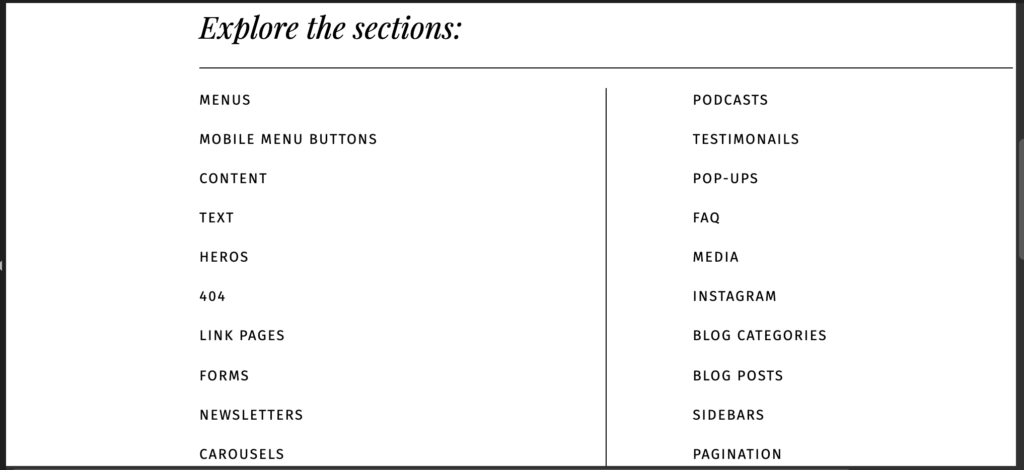
If you want to grab the Canvas Builder, you can use the button below or apply code HAZELWILLOWSTUDIOS at checkout for $100 off.
Build Smarter
Designing a Showit website doesn’t have to feel overwhelming or endless.
With the right tools and a strategy-first approach, you can build a site that feels cohesive, intentional, and aligned…without reinventing everything from scratch.
If you want a flexible foundation that supports your growth and gives you your time back, it’s a tool that’s absolutely worth exploring.
If you want to grab the Canvas Builder, you can use the button below or apply code HAZELWILLOWSTUDIOS at checkout for $100 off.